
System What macOS leaves behind
- Application Caches
- Sandboxed App Caches
- Application Logs
- Crash & Diagnostic Reports
- Saved Application State
- Trash
- Quick Look Thumbnails
- Temporary Files
- Downloaded Software Updates
- System Logs
macOS cleaner · Disk analyzer · Uninstaller
GobyStation finds and removes the data macOS and your apps leave behind, maps what is actually filling your disk, and gives you a handle on the apps, background jobs and processes running on your Mac — behind an interface that looks like a diving station rather than a control panel.
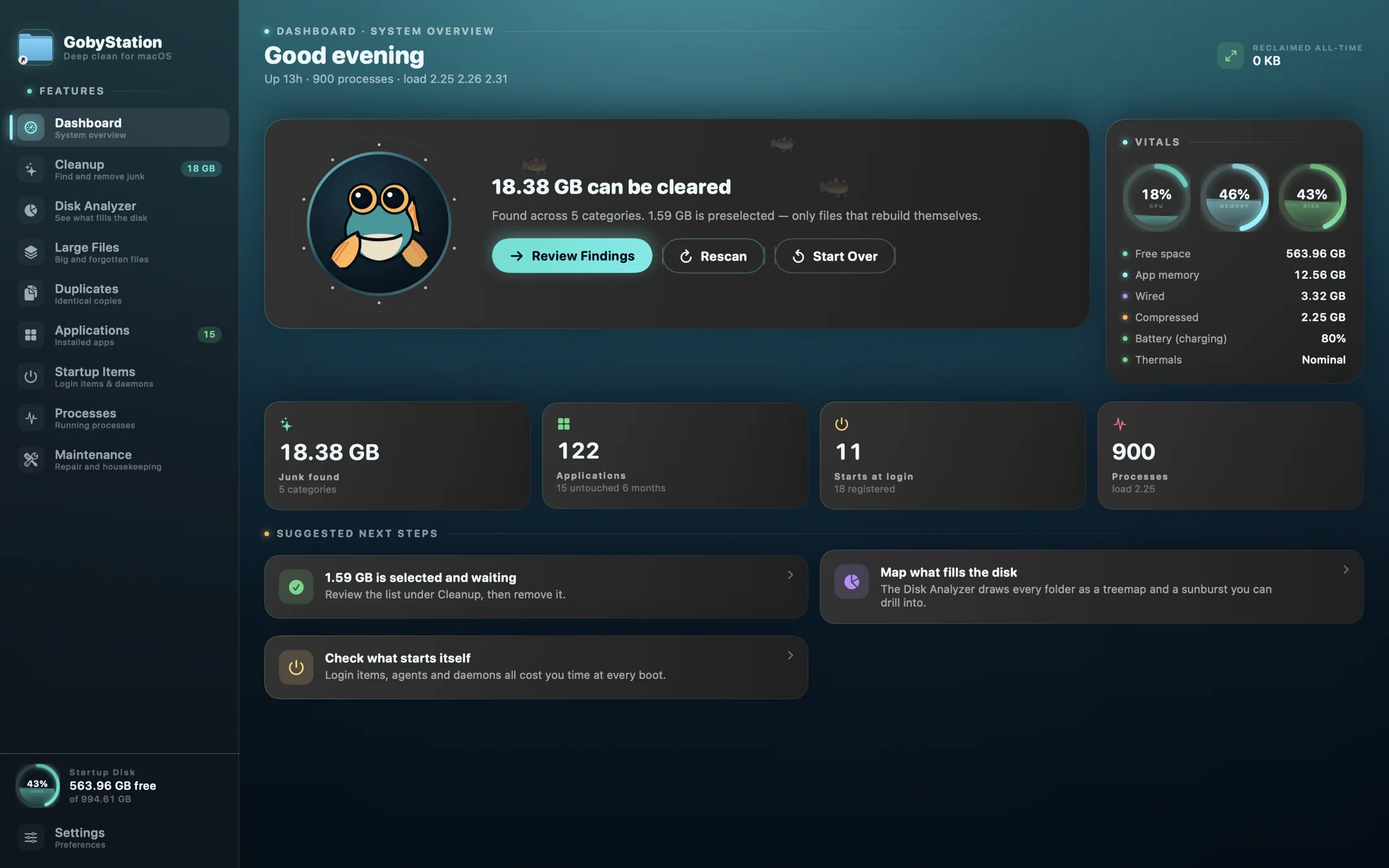
Nine decks, one station
Every feature is called what it is. The water, the porthole and the fish carry the character; the panels do the work.
Live CPU, memory and disk vitals — down to swap, battery and thermals — a one-click scan, how much you have reclaimed all-time, and what to look at next.
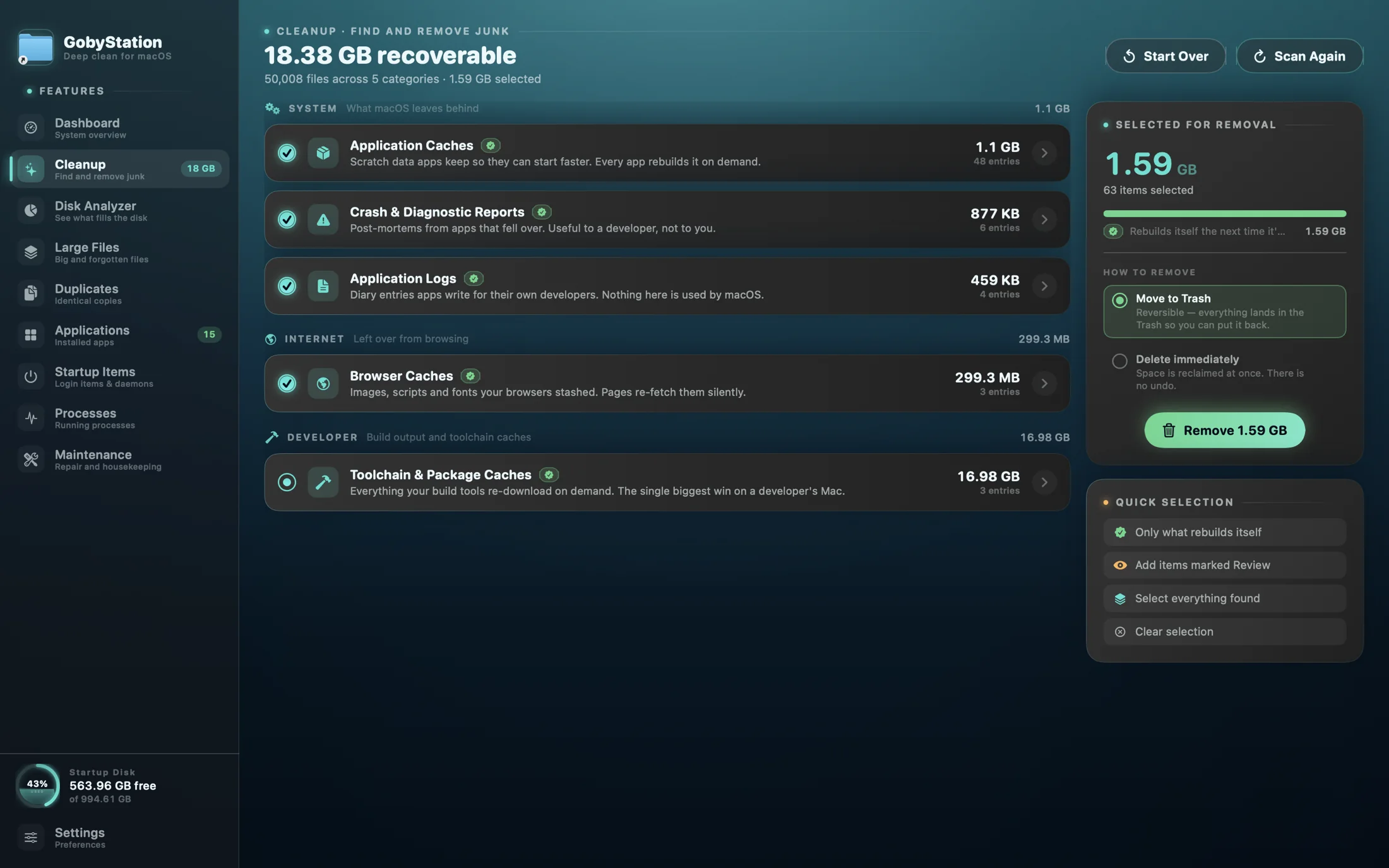
Twenty-seven categories of removable data, each explained, each with a risk level.
A full disk map: squarified treemap, sunburst, browsable tree, and composition by file type.
The largest files, and the ones nobody has touched in months.
Identical files, verified byte for byte — the same bytes, not just the same name.
Every installed app: size, last opened, architecture — and a complete uninstall that takes the leftovers with it.
Login items, launch agents and daemons, with a switch for each in the direct download.
The process table, live, with quit — and force-quit in the direct download.
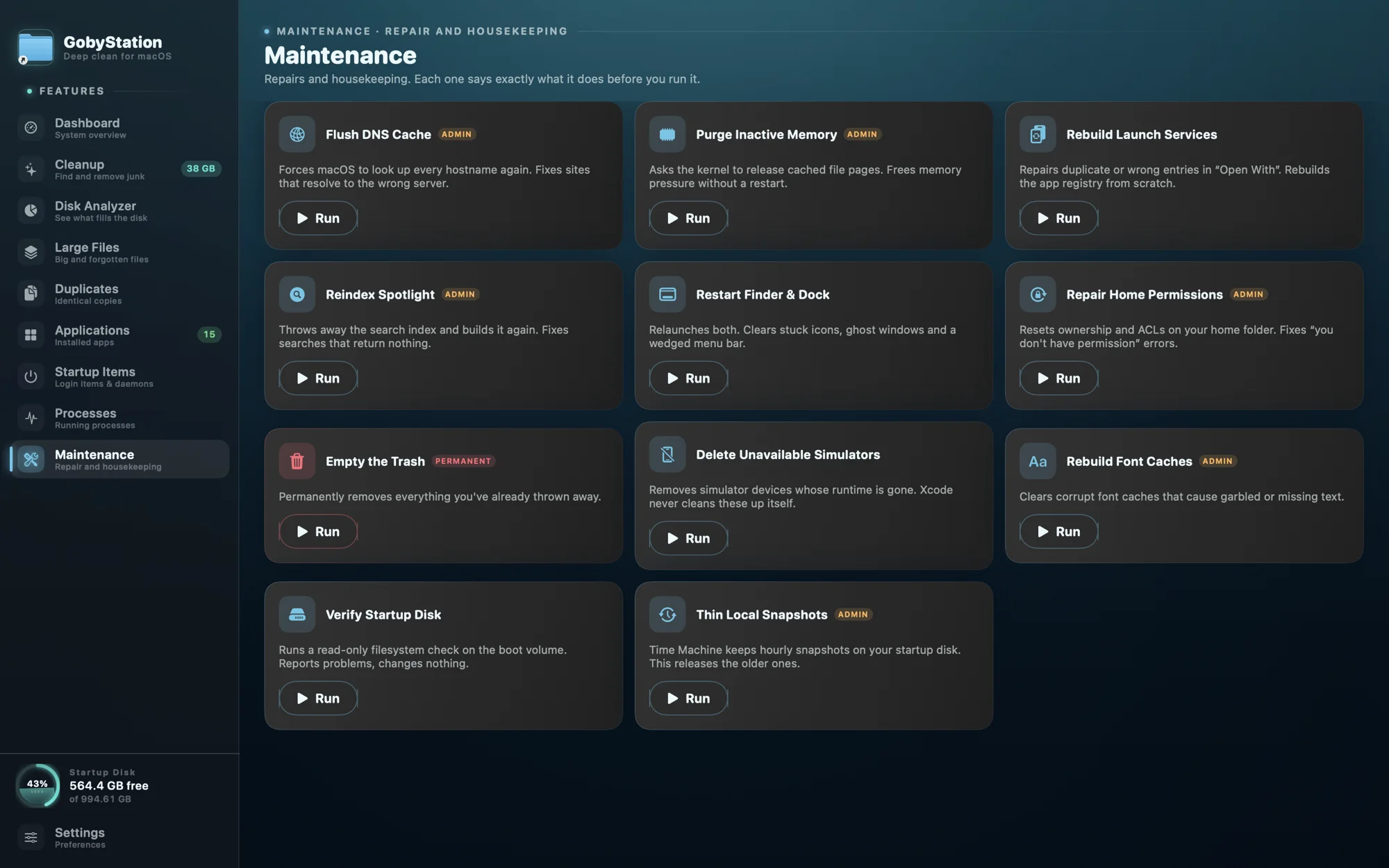
DNS flush, memory purge, Spotlight reindex, permission repair and other one-shot jobs — each says exactly what it does before you run it. Direct download only — the Mac App Store sandbox forbids them.
Cleanup · Find and remove junk
Every category says what it is, why it is safe — or not — to remove, and what happens afterwards. Only items marked Safe, data that regenerates on demand, are ever preselected — and not even all of those: anything that would cost you hours to rebuild is left for you to choose. Review and Caution items are always yours.
Developer · The single biggest win on a developer's Mac
Safety
Three rules carry that weight, and the app is built so that none of them can be stepped around.
Nothing in the app calls the file-removal APIs directly. Every deletion goes through a single removal engine, which re-checks the safety guard even though the caller already did.
The guard works from allow-lists, not deny-lists. A path must sit inside a folder named as sweepable, must not be inside a protected tree, and must not itself be structural. Because /var, /tmp and /etc are symlinks into /private, every check runs against both spellings.
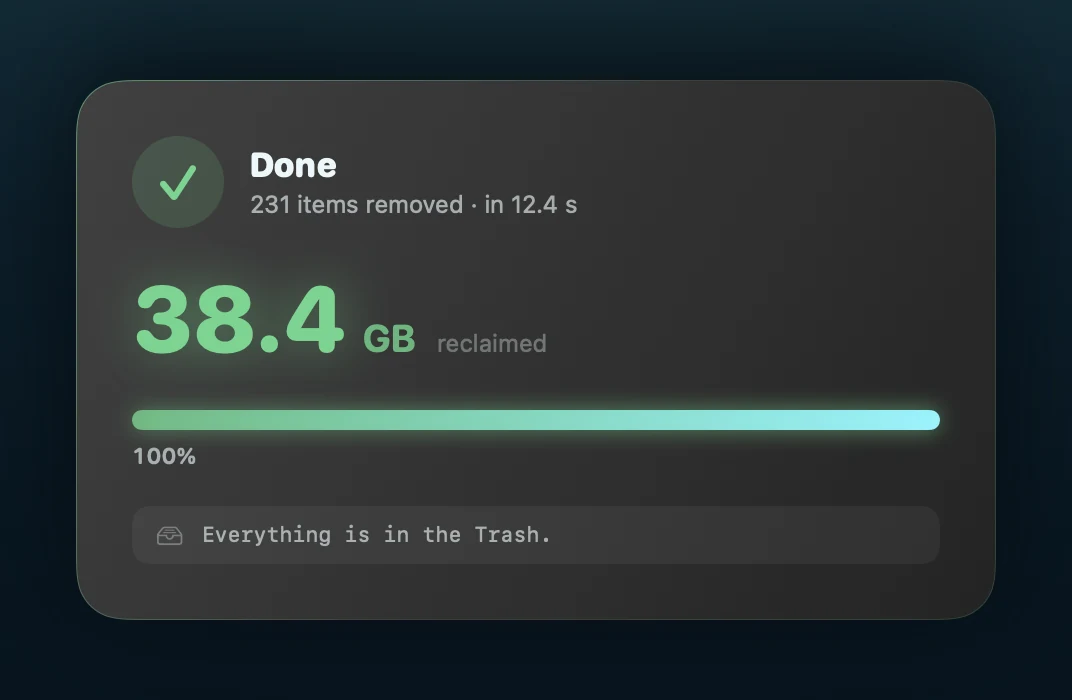
The default is Move to Trash. Permanent deletion is available, clearly labelled, and requires a second explicit acknowledgement. Confirmation sheets list the actual paths, the risk breakdown and the byte count before anything happens — and a refusal by the guard is reported, never silently skipped. Every confirmed removal is then written to a local, append-only ledger: when it ran, the confirmation you were shown, the mode, and the exact paths removed, failed and refused.
Refused under every mode
Some places the guard will not enter no matter which mode is selected. Junk sweeps additionally never enter your own documents and media.
Folders under iCloud Drive and other cloud mounts are measured by what they report and never walked, so a survey cannot turn into 200 GB of traffic.
Every bulk filesystem walk runs on a supervised thread pool that notices a worker has stopped making progress, writes the path off, and carries on. Anything skipped is named in the interface, so the totals are never quietly wrong.
The other decks
The same panels, the same honesty about what is known and what is not — applied to the disk, the apps, the things that start themselves, and the things that are running right now.
Squarified treemap, a sunburst, a browsable tree, and composition by file type. Cloud mounts are measured, never walked.
Blender — you have not opened this in 248 days.
Size, version, architecture and last opened. Idle apps are flagged, and uninstalling takes the leftovers with it.
User agent Runs when you log in, as you.
Global daemon Runs at boot, as root, before login.
Login items, launch agents and daemons. In the direct download each has a switch, and anything outside your home folder is changed through macOS's own administrator prompt; the Mac App Store edition shows them and leaves the switching to System Settings.
| Process | PID | Memory | CPU |
|---|---|---|---|
| GobyStation/Applications/GobyStation.app | 1 265 | 301 MB | 0.6 |
| Safari/Applications/Safari.app | 812 | 1.21 GB | 4.2 |
| WindowServer/System/Library/…/WindowServer | 171 | 612 MB | 3.8 |
| Xcode/Applications/Xcode.app | 1 104 | 2.33 GB | 2.1 |
| kernel_taskmacOS | 0 | 1.80 GB | 1.9 |
The process table, refreshing every two seconds, with quit — and force-quit in the direct download. System processes are hidden until you ask for them.
Design
Everything is drawn procedurally. The background is a single clock driving four canvas layers — a depth gradient, interfering sine fields for caustics, angled light shafts, marine snow and a bubble curtain — so the whole ocean costs a handful of draw calls rather than hundreds of animated views. The water gets brighter and busier while a scan is running, and darkens as you move to deeper decks.
The theme lives in the visuals, not the vocabulary. Every feature is called what it is — Cleanup, Disk Analyzer, Startup Items — while the water, the porthole and the fish carry the character. The same water you are looking at right now, in fact.
On the cost of all that
An animated background is easy to write and easy to make expensive. The first working version idled at 67% of a core. Almost none of that came from drawing — it came from layout — and fixing it is what makes the water affordable.
Motion can be turned down to Calm water or off entirely to Still water in Settings. Those settings remove the clocks rather than hiding the layers, so turning motion down actually costs less.
Six themes
All of them stay aquatic — the app should still feel like one body of water — but they differ in depth, temperature and light. Auto follows macOS: Tidepool in Light, Abyss in Dark.
Deep teal and bioluminescent cyan. The original.
Warm shallows — coral, turquoise and sunlight.
Green water and amber light under a canopy.
Pale ice-blue, cold and very quiet.
Almost black, with violet running lights.
A light theme, for bright rooms and daylight.
The optional assistant
GobyStation can ask a language model what an unfamiliar file is, whether removing it is risky, or what a process belongs to. It is the only part of the app that talks to anything outside the machine, so a few rules shape it.
An answer is presented as what it is: a language model's opinion, not a check GobyStation performed. Where a list is capped, it says it is capped rather than printing the cap as a total. The safety guard still governs everything that is actually removed.
Permissions
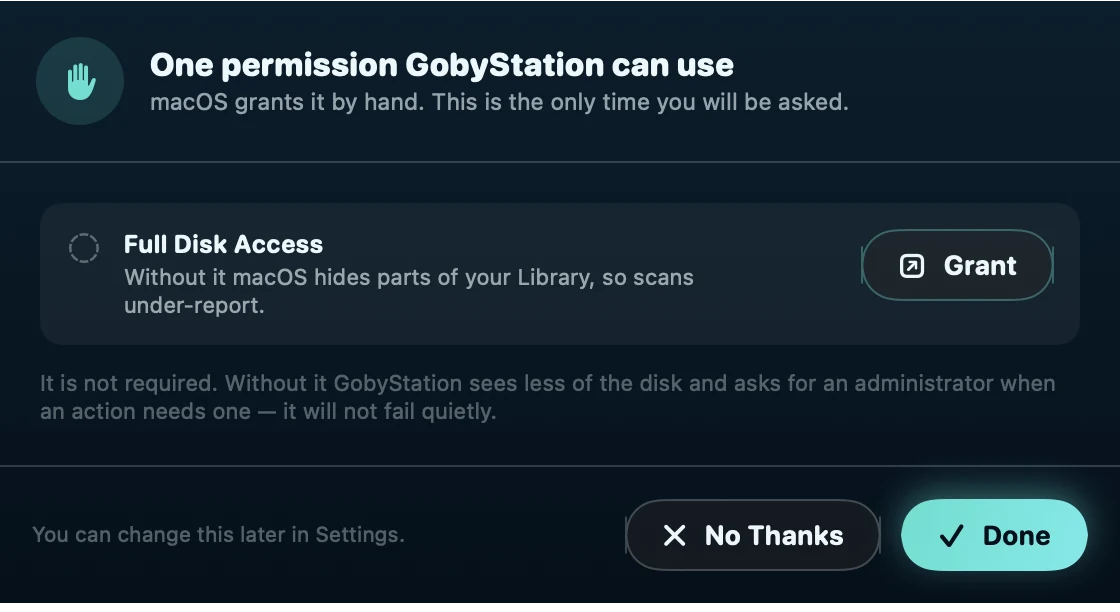
GobyStation comes in two editions. The direct download is unsandboxed: it reads and removes files as you, and nothing more. The Mac App Store edition is sandboxed, and asks you once to choose Macintosh HD so it can see the folders it cleans. Either way, a user agreement and privacy statement are shown on first launch and accepted before it does anything at all.
com.apple., refuses its own label, and refuses a domain that is not a real account. Settings can remove it.Pricing
The station is free. A subscription adds the assistant and the advanced features; a lifetime license buys them once. Everything marked Undetermined is a placeholder — the structure is settled, the numbers are not.
Free The station
Freefor everyone, always
The cleaner, the disk map, the safety guard and the removal record. No assistant, no advanced features.
Monthly Subscription
Undeterminedper month · cancel any time
A small monthly fee for the assistant and the advanced features, for as long as you keep it.
Lifetime One purchase
Undeterminedonce · yours for good
A bigger fee, paid once, for everything the subscription unlocks.
| What you get | Free | Monthly | Lifetime |
|---|---|---|---|
| The nine decks — which stay free is undetermined, one decision each | |||
| Dashboard | Undetermined | ||
| Cleanup | Undetermined | ||
| Disk Analyzer | Undetermined | ||
| Large Files | Undetermined | ||
| Duplicates | Undetermined | ||
| Applications | Undetermined | ||
| Startup Items | Undetermined | ||
| Processes | Undetermined | ||
| Maintenance | Undetermined | ||
| The assistant | |||
| The assistant, with your own provider key Anthropic, OpenAI-compatible, or a local model. Your provider bills you for what it answers. | |||
| Advanced features — undetermined | |||
| Undetermined Advanced feature, to be named | |||
| Undetermined Advanced feature, to be named | |||
| Undetermined Advanced feature, to be named | |||
| Terms | |||
| Price | Free | Undetermined / month | Undetermined , once |
| Currency and regional pricing | — | Undetermined | Undetermined |
| Free trial | — | Undetermined | — |
| Macs per license | Any | Undetermined | Undetermined |
| Updates | while subscribed | Undetermined minor always; major versions open | |
| Where to buy This site, the Mac App Store, or both | — | Undetermined | Undetermined |
| Refunds | — | Undetermined | Undetermined |
Prices, trial, refund terms and the list of advanced features are placeholders while the plan is decided. Nothing on this section is for sale yet.

Surfacing soon
GobyStation is being prepared for the App Store. Requires macOS 14 or later, and runs natively on both Apple silicon and Intel Macs.